**Source URL:** https://quality.veevavault.help/en/gr/57968806/index.md
# Working with External Audit Collaborators
The External Response Collaboration feature allows auditors the ability to request responses from recognized external contacts. These responses can include collaboration with those individuals in Vault, sharing, reviewing, responding to and closing out findings with minimal or no need to manage user account provisioning.
When Auditors or other authorized Vault users request collaboration in this way, Vault can automate the provisioning of External User accounts for those contacts, invite them to collaborate with specialized email messages, and can close out their user accounts when the collaboration is complete.
An example configuration might make your process for getting responses on _External Findings_ look something like this:
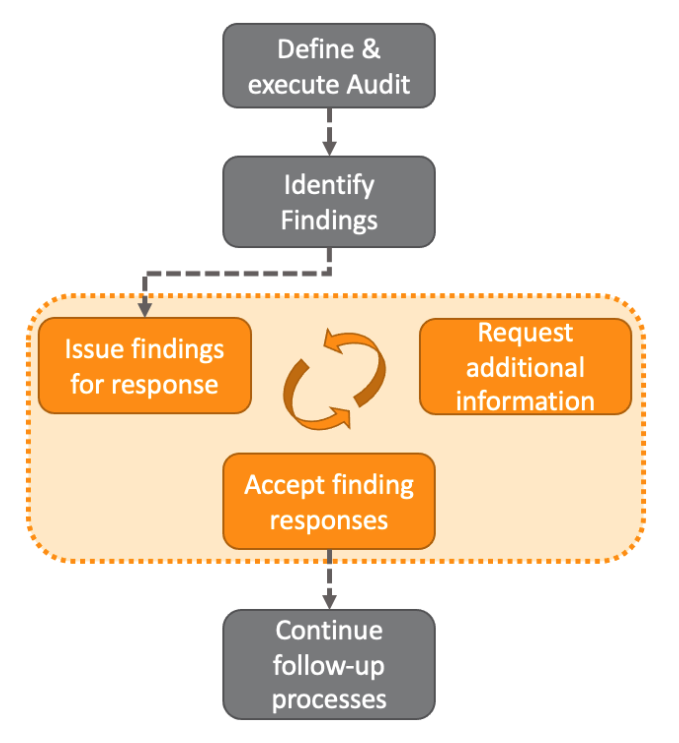 You can further extend your collaboration from the _External Findings_ process through _CAPAs,_ _SCARs,_ and _Effectiveness Checks_, such that once it's time for followup on these records, Vault jobs can automatically move the records into the collaborating states, and request responses directly from your collaborators, all without having to manually manage calendars and emails for follow up:
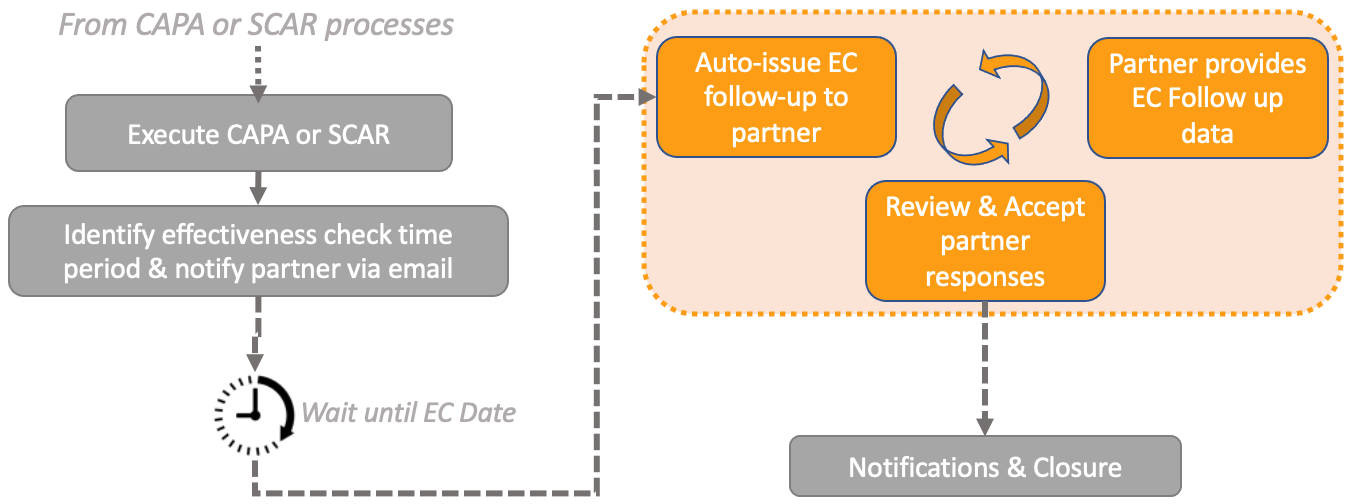 Learn the basics about using external collaboration. This feature requires configuration by an Admin before use.